Advertisement
Advertisement
Advertisement

Penny Dell Word Search
Penny Dell Word Search is a trivia game inspired by classic word search games. Don’t let the word challenge intimidate you!
5
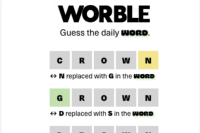
Worble
Worble is a new Wordle spin-off. According to the intriguing instructions provided by the game, you must find the mysterious word in 6 tries or less.
5
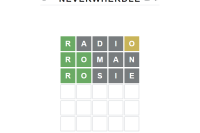
Neverwherdle
Neverwherdle is an intriguing word guessing game that draws inspiration from Neil's Journal, covering the first 21 years of Neil's life. In this game, players must guess the secret Neverwherdle word within six tries, with each guess consisting of a five-letter word.
5
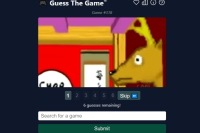
Guess The Game
Guess The Game is a deduction game that follows a six-round format similar to Wordle. Players are presented with a series of screenshots and hints, such as the game's release year, Metacritic score, or original platform.
5

Wordversar
Wordversar is a thrilling and fast-paced word puzzle game that puts your vocabulary and quick thinking to the test. The objective of the game is simple: answer word puzzles faster than your friends and be the first to reach 10 points to claim victory.
5

Grootle
Grootle is a fun online guessing game that challenges players to guess the correct word based on a series of visual and textual clues.
5
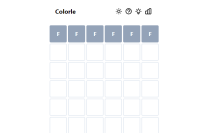
Colorle
In Colorle, your objective is to decipher a six-character color code using hex values. You have six opportunities to make accurate guesses and reveal the correct color code.
5
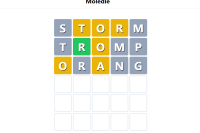
Moledle
Moledle is an intriguing word-guessing game that challenges players to uncover a hidden word within six attempts. With each guess, players receive valuable feedback through the changing colors of the tiles, indicating their proximity to the correct word.
5

Sqwordle
Sqwordle is an exciting and addictive game that puts a Pokémon twist on the popular game Wordle. In Sqwordle, players are challenged to guess the name of a Pokémon within six tries.
5

Fish World 2022
Gues the Fish
5
Daily Redactle
Daily Redactle is a fun puzzle game that requires you to guess the title topic of a random Wikipedia page. This game may help you improve your English and increase the flexibility of your brain.
Redactle is a daily browser game in which the user attempts to decipher the subject of a random obfuscated Wikipedia article selected from Wikipedia's 10,000 Vital Articles. Each puzzle begins with most punctuation and all but a few common words (basically articles and prepositions) redacted.
How to play
Any instances of that word in the article are revealed as you guess a word. If you correctly guess each word in the title, you will be able to read the entire article.
- Type a word into the box and press Enter. If the word is part of the article, the game will tell you how many times it appears and put it in the right place on the page with the article's content.
- Find words that are related to the word you just found.
- Use the words you got right to quickly figure out what the article is about. As you try to guess, don't forget to think about the title, which is what you're really after.
- If you find the title of the article, you win.